

2026
Development recorded in the project repository. Earlier work may predate this history; this is not a confirmed launch date.Automation
Inside Clocker
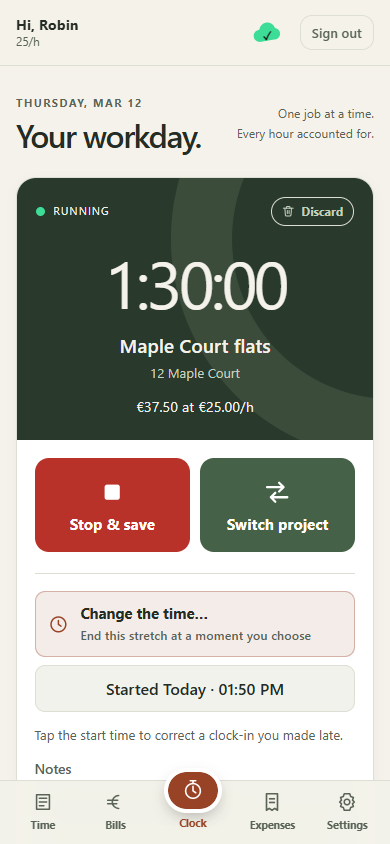
Clocker's running timer on mobile, shown with fictional worker and project data.
The problem
A field-service business needs to know who worked where, what each project cost, what employees paid personally and what the business owes them. When those facts are recorded on site but billing and payment live in Zoho Books, the office and the workforce can end up maintaining different versions of the same work.
The system therefore has to cover the whole path from a worker starting a timer through project permissions, expenses, bills and payment visibility, while still working without signal and protecting financial history after billing.
The solution
Clocker gives field workers one mobile place to record time and expenses, review work and see bills and payments, while managers connect the right people and projects to the correct Zoho Books organisation. It turns field activity into an accountable financial workflow rather than a separate timesheet exercise.
Records are saved on the device first and synchronised with stable identifiers, pending work stays visible, and billed entries are locked on screen and server. Personal expenses can flow into the worker's next bill with accounting treatment that avoids duplicating the business cost.
The decisions behind it
- Record now, synchronise later
- Saving time cannot depend on mobile signal. Local persistence and repeatable uploads address different failure points in the same workflow.
- An invoice changes the rules
- An unbilled entry can be corrected. A billed entry is locked because it is now part of a financial record.
- Reimbursement without double counting
- Who paid for a receipt affects how the worker is repaid, while the underlying business expense should still be counted once.
- Mobile time entry that works offline
- Company-specific Zoho Books connections
- Worker access to time, bills and payments